
DOWNLOAD FOR FREE
15-Minute
Design + Mockup
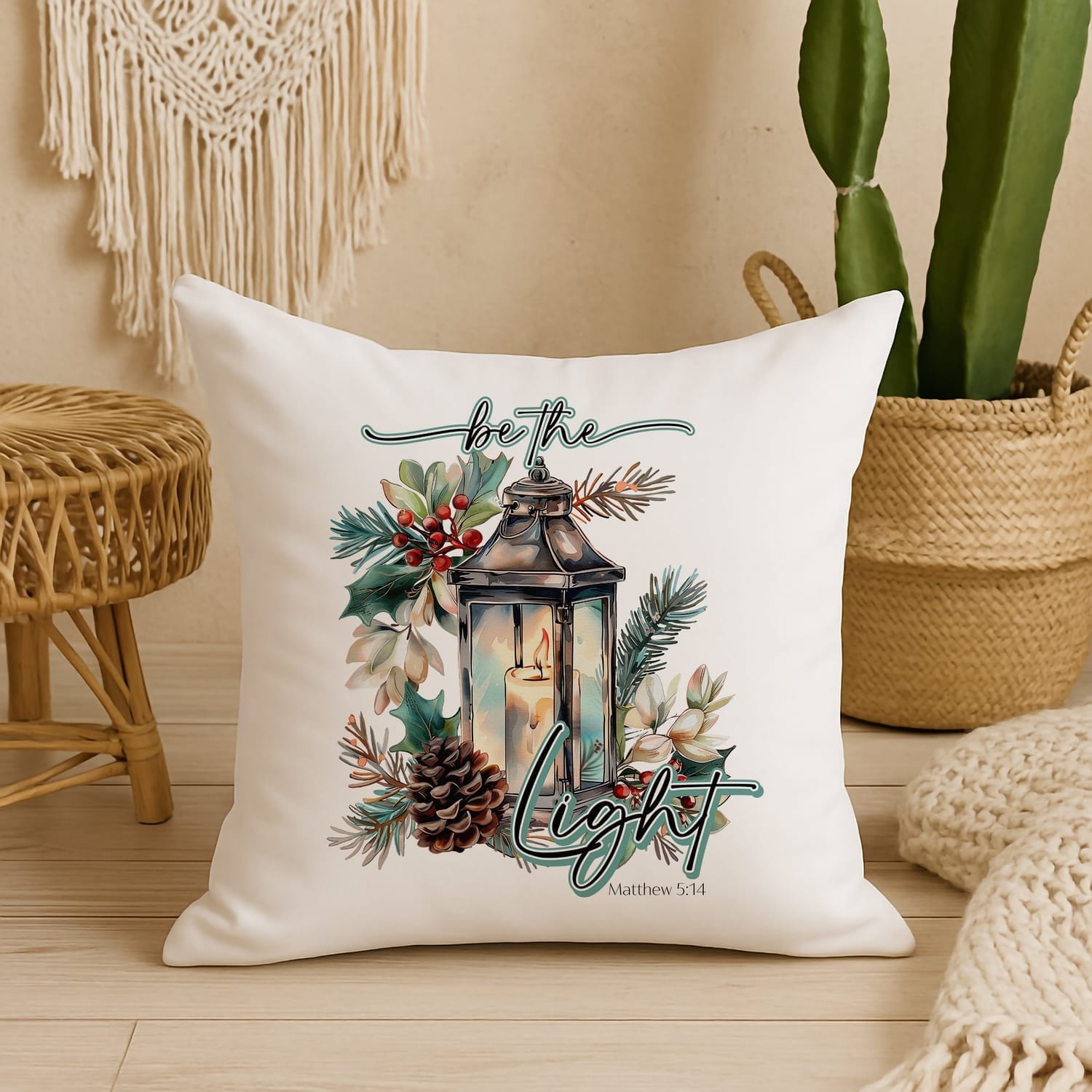
I’m so excited to share this beautiful “Be the Light” design and a matching pillow mockup with you today. This mini bundle is part of my 15-Minute Design Series—quick, confidence-boosting projects to help you create with
joy, even on your busiest days.
Whether you’re a seasoned creator or brand new to digital design, this little gift will help you craft
something beautiful in just minutes.
DOWNLOAD FOR FREE
15-Minute
Design + Mockup
I’m so excited to share this beautiful “Be the Light” design and a matching pillow mockup with you today. This mini bundle is part of my 15-Minute Design Series—quick, confidence-boosting projects to help you create with
joy, even on your busiest days.
Whether you’re a seasoned creator or brand new to digital design, this little gift will help you craft
something beautiful in just minutes.
What You Get Today
High-Resolution PNG Design
Watercolor style, transparent background, ready for print or sublimation.Boho Pillow Mockup
A clean, neutral mockup that works beautifully for Etsy listings, social posts, and product previews.Beginner-Friendly Instructions
No stress. No tech overwhelm. Just simple steps to help you put it all together quickly.
High-Resolution PNG Design
Watercolor style, transparent background, ready for print or sublimation.Boho Pillow Mockup
A clean, neutral mockup that works beautifully for Etsy listings, social posts, and product previews.Beginner-Friendly Instructions
No stress. No tech overwhelm. Just simple steps to help you put it all together quickly.
What You Get Today
High-Resolution PNG Design
Watercolor style, transparent background, ready for print or sublimation.Boho Pillow Mockup
A clean, neutral mockup that works beautifully for Etsy listings, social posts, and product previews.Beginner-Friendly Instructions
No stress. No tech overwhelm. Just simple steps to help you put it all together quickly.
High-Resolution PNG Design
Watercolor style, transparent background, ready for print or sublimation.Boho Pillow Mockup
A clean, neutral mockup that works beautifully for Etsy listings, social posts, and product previews.Beginner-Friendly Instructions
No stress. No tech overwhelm. Just simple steps to help you put it all together quickly.
How to Use Your Free Files
How to Use Your
Free Files
Below are simple, no-fluff directions for both Photoshop and Canva. Choose the program you prefer!
👉 Using Photoshop (Super Easy)
Open Photoshop.
Drag the pillow mockup into Photoshop.
Drag in the “Be the Light” PNG design.
Resize and position the design on the pillow using the corner handles.
Make sure the design layer is above the pillow layer.
Optional: Reduce opacity slightly for a softer, more realistic blended look.
Save as JPG or PNG.
Done in under 15 minutes!
👉 Using Canva (Beginner Friendly)
Go to Canva.com and open a blank canvas (size doesn’t matter).
Upload the pillow mockup and place it on your canvas.
Upload the “Be the Light” design and drag it onto the pillow.
Resize and center the design.
Optional:
Adjust transparency for realism
Add shadows or a soft glow if desired
Download as PNG or JPG.
You’re all set—your finished mockup is ready to share!
👉 Using Photoshop (Super Easy)
Open Photoshop.
Drag the pillow mockup into Photoshop.
Drag in the “Be the Light” PNG design.
Resize and position the design on the pillow using the corner handles.
Make sure the design layer is above the pillow layer.
Optional: Reduce opacity slightly for a softer, more realistic blended look.
Save as JPG or PNG.
Done in under 15 minutes!
👉 Using Canva (Beginner Friendly)
Go to Canva.com and open a blank canvas (size doesn’t matter).
Upload the pillow mockup and place it on your canvas.
Upload the “Be the Light” design and drag it onto the pillow.
Resize and center the design.
Optional:
Adjust transparency for realism
Add shadows or a soft glow if desired
Download as PNG or JPG.
You’re all set—your finished mockup is ready to share!
A Little Encouragement Before You Go
Your creativity has purpose.
Your gifts matter.
And even the smallest project can shine a little light into someone’s day—including yours.
I’m cheering you on, always.
COPYRIGHT © JESICA MARSHALL 2026 | TERMS & CONDITIONS | PRIVACY | WWW.JESICAMARSHALL.COM
COPYRIGHT © JESICA MARSHALL 2026
| TERMS & CONDITIONS | PRIVACY | WWW.JESICAMARSHALL.COM